Bulin 47 AI Photo Tips: Get a Video That Looks Like You
 Bulin 47 AI Team
Which photo to upload for the best Bulin 47 AI result, what to avoid, and what AI still gets wrong.
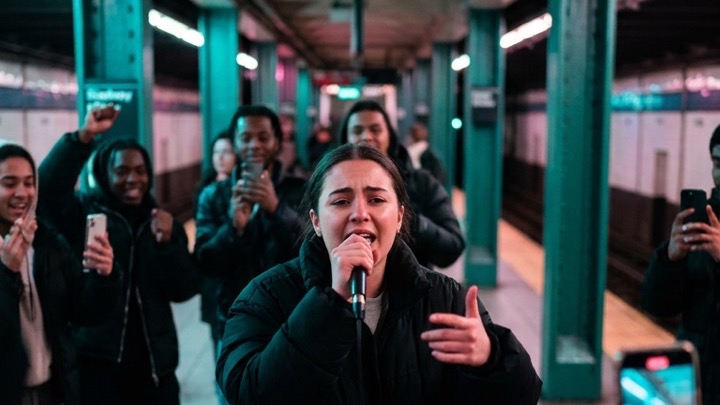
Your photo is the single biggest factor in how your Bulin 47 AI video turns out. The AI only knows what you look like from that one image, so a good photo means a video that actually looks like you.
Here's what works, what doesn't, and what to expect.
The photo checklist
Face the camera. A straight-on or slightly angled face with both eyes visible gives the AI the most to work with. Side profiles and looking down make it guess.
Show your upper body. Include your hair, shoulders and clothes, not just a tight face crop. The AI uses your outfit and build too, so the full-body performer in the scene matches you better.
Use good light. Daylight or an evenly lit room works best. Avoid hard shadows across your face, strong backlight and dark night shots.
Keep it sharp. Blurry, heavily compressed or zoomed-in screenshots lose the detail the AI needs. Use the original photo from your camera roll if you can.
One person only. If there are several faces, the AI may pick the wrong one or blend them.
Skip the filters. Beauty filters, heavy makeup effects and AR masks change your face shape. The result will look like the filter, not you.
Pets and illustrated characters work too. A clear, front-facing shot of your dog or your favorite drawing can make a fun version.
What to avoid
- Sunglasses, masks or hands covering your face
- Group photos and photos with someone else partly in frame
- Very small faces, such as a person far away in a landscape shot
- Old photos scanned at low resolution
- Photos of celebrities, public figures, minors, or anyone who hasn't agreed. These aren't allowed.
What AI still gets wrong
Even with a great photo, keep your expectations realistic:
- Lip sync is close, not perfect. The mouth moves with the beat but won't match every syllable.
- Your moves follow the original clip. The AI keeps the original performance and puts you in it; the crowd around you changes every time.
- Small details can drift. Jewelry, logos, tattoos and hands may change between frames.
- Two renders won't be identical. If the first one isn't quite right, a second try with the same photo can turn out differently.
Test a new photo at 480p
A 480p video costs 10 credits instead of 25 for 720p HD. It's enough to check whether the face reads as you. If it does, render the same photo in 720p HD.
If a render fails or gets blocked, the credits are refunded automatically, so trying again costs nothing.
Quick recap
- Front-facing, upper body visible, good light.
- Sharp original photo, one person, no filters.
- Try a new photo at 480p, then render it in 720p HD.
Got the perfect photo? Make your video. New to the trend? Start with the step-by-step guide.